
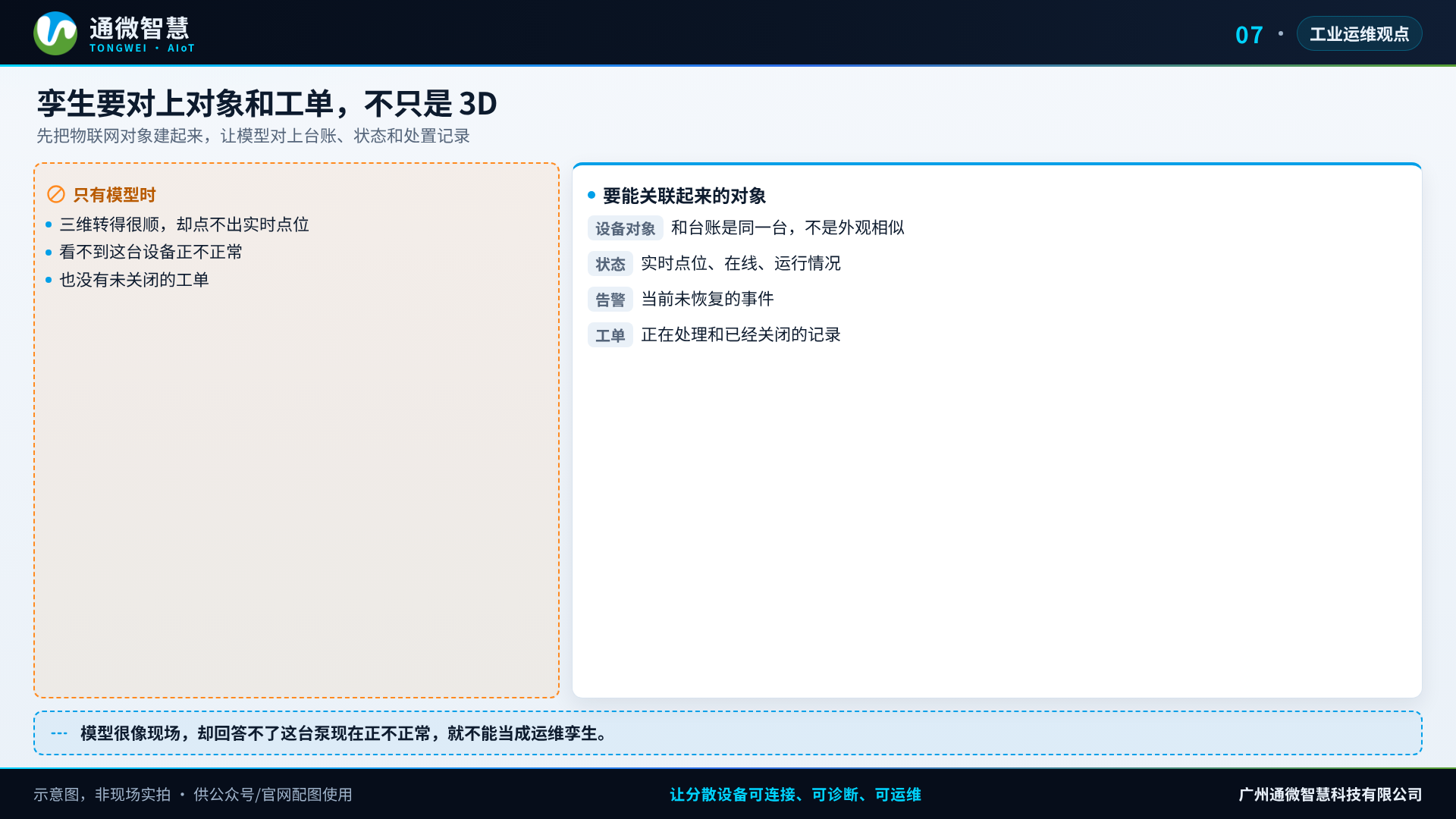
In the visitor corridor, the plant's three-dimensional model turns smoothly. Open one pump and there is no live point, and no unclosed work order. The model looks like the site, and it cannot answer whether this equipment is normal right now. When Guangzhou Tongwei Smart Technology Co., Ltd. (Tongwei Smart) looks at a digital twin, it first looks at whether the IoT object has been built: an industrial-grade AIoT has to line up the ledger, the status, and the handling record.
Looking like the site, and being usable for operations, are far apart
Making the plant three-dimensional does look good for a visit and a briefing. The camera can fly, a cabinet can open, and the pipes can follow the viewpoint. After it is finished, the questions the operations crew actually asks are of another kind: is this equipment still online, was the last alarm handled, has the spare part been changed, and has the same kind of fault come back. The model itself does not come with those answers.
A common break is that the data and the object do not match. Equipment in the three-dimensional scene was placed by an artist from the drawing. Points on the platform were acquired by communications address. The two sides have no stable correspondence. Click the model and what comes back is an empty property page, or the wrong number. After using it twice, the people on the line will not treat it as a working screen again.
Another method places the large screen, the model, and the existing monitoring side by side, each looking after its own part. Briefings use the model, the duty shift uses the old system, and work orders stay in a spreadsheet. It looks as if everything is there. Daily work is still two systems, sometimes three. If a twin cannot enter the alarms and the work orders, it is only a skin.
The cost of keeping it up is not low either. The site moves a piece of equipment once, or replaces a model, and the three-dimensional scene is not updated with it. A few months later, what can be seen is no longer the site as it is now. Without a ledger version and a person responsible for the points, the three-dimensional view slowly becomes an exhibit that has gone out of date.
Building the appearance first and filling in the object later reverses the order
Many projects fill the visualisation first, then go back to fill in acquisition and process. The first half shows progress that can be seen. The second half finds that the point list is incomplete, the names are mixed up, and the work orders are still moving around in a chat group. The model gets finer and finer. Operations still depend on the phone.
The part of a digital twin that holds up in industry is actually plain: give every piece of equipment that needs to be operated an object that can keep being updated, and hang status, events, and handling records on that object. Three dimensions can be one way to present it. A flat ledger, a process drawing, and a list can also present it. Once the object exists, the presentation means something. If the presentation comes first, the object is usually dragged along behind it.
A senior technician's sense of the space is strong enough to grow a whole station room in the mind. Once the team gets larger and the sites multiply, that memory cannot be copied. The spatial sense can stay with the people who need it, while data that can be checked is left for everyone on duty. The two can sit together, but the working entrance should land on the layer that can close the loop.
Build the equipment objects completely first. 3D is only one view
When Tongwei Smart pairs a solution, it treats a digital twin as a visualisation of operations objects, rather than starting with a separate three-dimensional project.
Build the ledger and the equipment model first. Every piece of equipment that needs to be managed has one identifier. Points, the responsible person, and the site it belongs to hang under it. The name on the drawing and the name used on site can stay as aliases. The primary name has to be the same everywhere. This step does not look striking, and it decides whether a later click means anything.
Then connect the live status. Online, offline, running, fault, and the key values acquired through a smart IoT gateway have to be visible directly on the object. Open one piece of equipment and the current value and a short trend should be there, not only a rendered picture. A point whose acquisition is unstable is marked first. Do not fill the gap with a decorative "green means normal".
Then hang the alarms and the work orders on the same object. What happened recently on this equipment, who is handling it, and whether it has been closed should be queryable along the object. A colour change or a marker on the model should come from these events, not from a separate animation that has nothing to do with operations.
Inspection and changes go back onto the object as well. Photos taken on site, modules that were replaced, and parameters that were changed are written back as far as possible. The twin is then the equipment as it is now, not the equipment as it was at completion. What an industrial-grade AIoT platform carries here is the object, the event, and the process. A three-dimensional engine is only an optional shell.
If a three-dimensional view or a plan-view navigation is really needed, first pick one station room and check it at object level: the click, the status, the alarm, and the work order can all be matched. Only then consider widening the scene. Do not model the whole plant first and then find there is no data to hang on it.
When one station room is checked at object level, the path can be made very specific. Enter the equipment from a list or a plan view and see whether the current value and a short curve are there. Raise one test alarm and see whether it appears on the object and whether it can generate a work order. After it is handled and closed, see whether the marker returns to normal. Once these three steps pass, the visualisation is actually attached to operations. Whichever step does not match, change the ledger, the point list, or the process first. Do not add more animation and fly-through first. The coding rule is fixed at this same step, so that later each discipline does not invent its own set and a finely made model still cannot be put back together.
3D is not required, and it is not the operations system itself
Tongwei Smart does not write "it must be made three-dimensional" as a premise of the solution. On some sites a plan view and a list are more efficient, especially where the equipment is dense and the duty shift is mainly about handling. Whether to use a three-dimensional view, who maintains it, and how the model stays in step with the ledger are confirmed per project.
Data ownership, interfaces, remote-control permission, and the way it is deployed also need a written agreement. A twin view does not replace fire protection, process control, and security systems, and it does not by itself guarantee that the model matches the site completely. Whether they stay consistent depends on whether the ledger is kept up. Equipment that is not on the point list is marked as pending. Do not draw it in the view as if it were already being managed.
If a twin is being considered, match the objects and the process once first
If the team is evaluating a digital twin, book a 20-minute requirements diagnosis. Bring the existing ledger, a plan or a model of one station room that is meant to be visualised, and the way alarms and work orders travel now. First confirm whether the object can stand, then decide whether a three-dimensional view is needed and how far it should go. The diagnosis does not start by looking at the rendering. It starts by looking at whether, after the click, there is a number, an unclosed matter, and a person handling it.